

Confirm You Are 18 or Older
Chamet is for adults aged 18 and older.

No previous hosting experience is required. You do not need to submit a manual application or join an agency. Use this quick guide to create your account, prepare your profile and open your first Live Room with the phone you already have.
Chamet is for adults aged 18 and older.

Use a phone with a working camera and microphone, along with reliable Wi-Fi or mobile data.

Start with something you can talk about naturally, such as music, everyday conversation, a talent or a community-friendly activity.
'%20stroke-width='2'%20stroke-linecap='round'%20stroke-linejoin='round'/%3e%3c/svg%3e)
Download Chamet through an official channel, register with accurate information and complete the in-app setup shown for your account.
Add a recent profile photo, a clear cover and a short introduction that tells people what you enjoy sharing.
Go to the Live section and select the option to create your Live Room.
Add a clear title and cover, check your camera and microphone, then choose the available room settings you want to use.
Go live, greet the people who enter and begin with the topic you prepared.
Watch Live Creators and Chat in Real Time | Chamet'%20stroke-width='2'%20stroke-linecap='round'%20stroke-linejoin='round'/%3e%3c/svg%3e)

Clean the lens and place your phone at eye level.

Face a window or place your main light in front of you.

Test your microphone and use earphones if they help reduce echo.

Choose a clean space that does not reveal private documents, addresses or other sensitive information.

Close unnecessary background apps and confirm your connection is stable.
Use a friendly greeting and explain what you are talking about today.
Invite viewers to share an opinion, preference or story instead of relying on yes-or-no questions.
Acknowledge people by name when appropriate and keep the conversation moving.
Tell viewers what you may share next time or when you expect to go live again.
Note which topic, question or moment received the most audience response.
Consistency makes it easier for returning viewers to find you.
Make one practical change to your lighting, sound, profile or conversation plan before the next stream.
Video chat is not available at Level 1. When it becomes available to your account, review the displayed chat options and use translation when helpful.
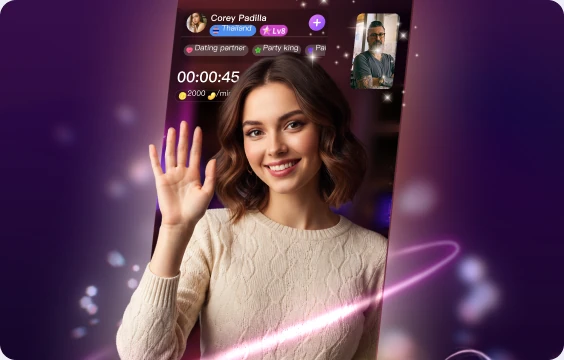
1v1 Video Chat with People Worldwide
At Level 6, you can create a Party Room for group video, voice chat and supported games.

Group Video and Voice Chat in Party Rooms
Learn how eligible gifts, video chats and Party Room activity generate Beans and how withdrawal works.

How Chamet Hosts Earn Beans and Withdraw
Keep passwords, OTPs, addresses, banking information and wallet credentials private.
Use available room controls, block tools and reporting tools whenever someone crosses your boundaries or violates Chamet rules.

Community Safety | Chamet
No. Previous hosting experience is not required.
No. Create an account, complete the in-app setup and open your Live Room.
No. An agency is not required.
A smartphone with a working camera and microphone, stable internet and a clear, well-lit space are enough to start.
Yes. Adult users can open Live Rooms and receive eligible virtual gifts.
Return to the complete host overview or continue with another Chamet host and product guide:
Complete your profile, choose one simple topic and start your first live conversation.